- Will support you for ever, check Support method(Email us or Skype) from: HERE
- Below Chapter 8 is detail trouble shooting guide, also send me email freely for any question.
Freely contact me for any question, please don't return directly, I do this job carefully and professionally to support my family.
1.Please Firstly Check Below Video:
We bring value to a lot projects during the past 20 years, also save a lot cost for many customers.If any problem, please don't return directly, that will bring big loss to me. I do support with my heart, Contact me for solution for your any question.
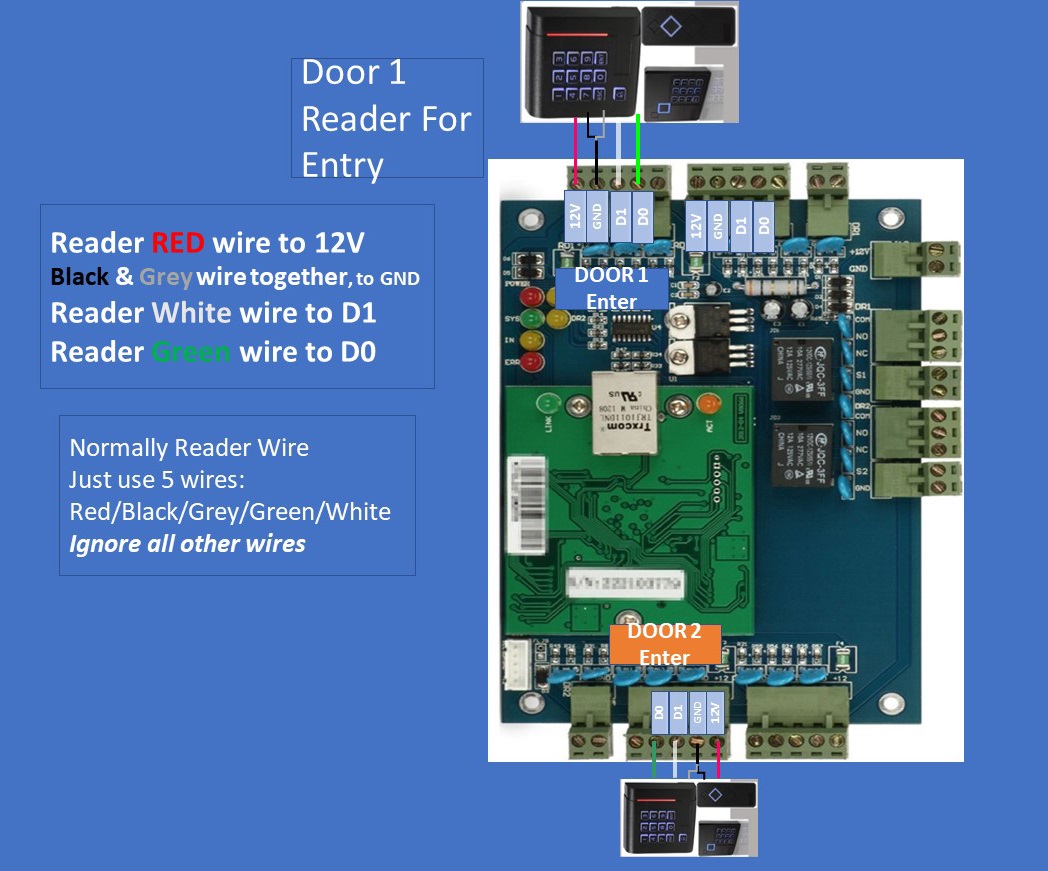
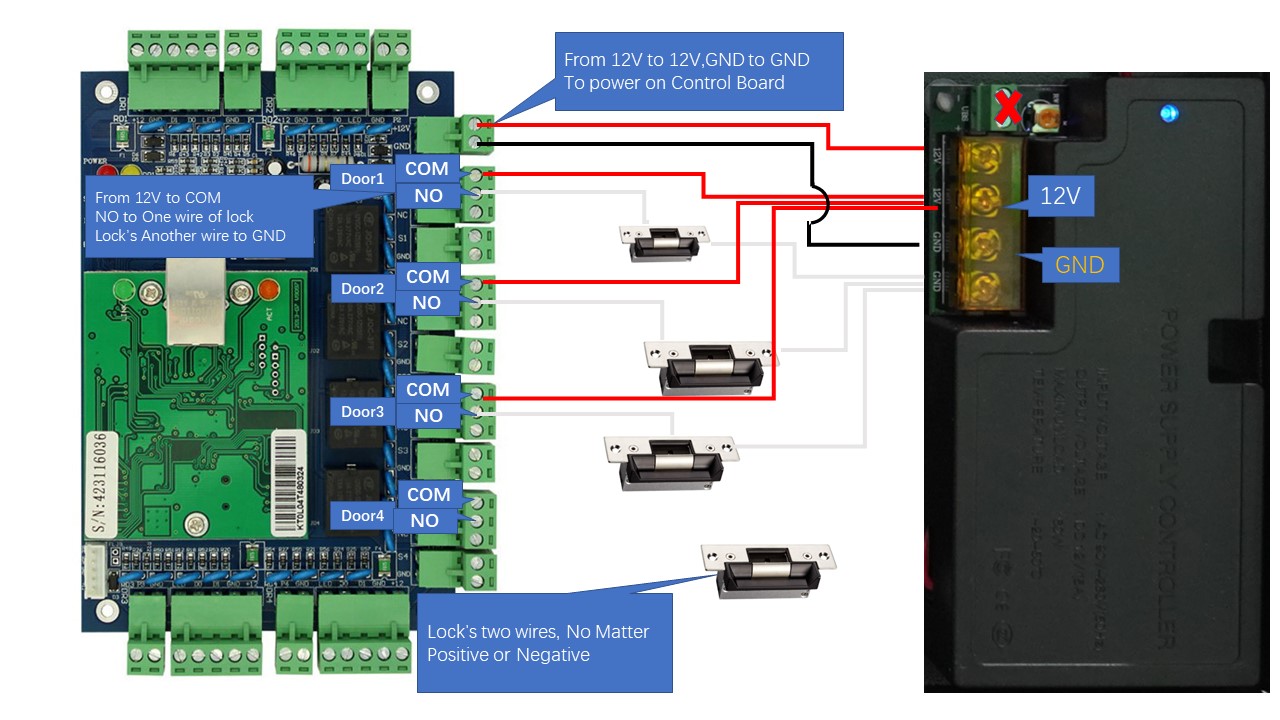
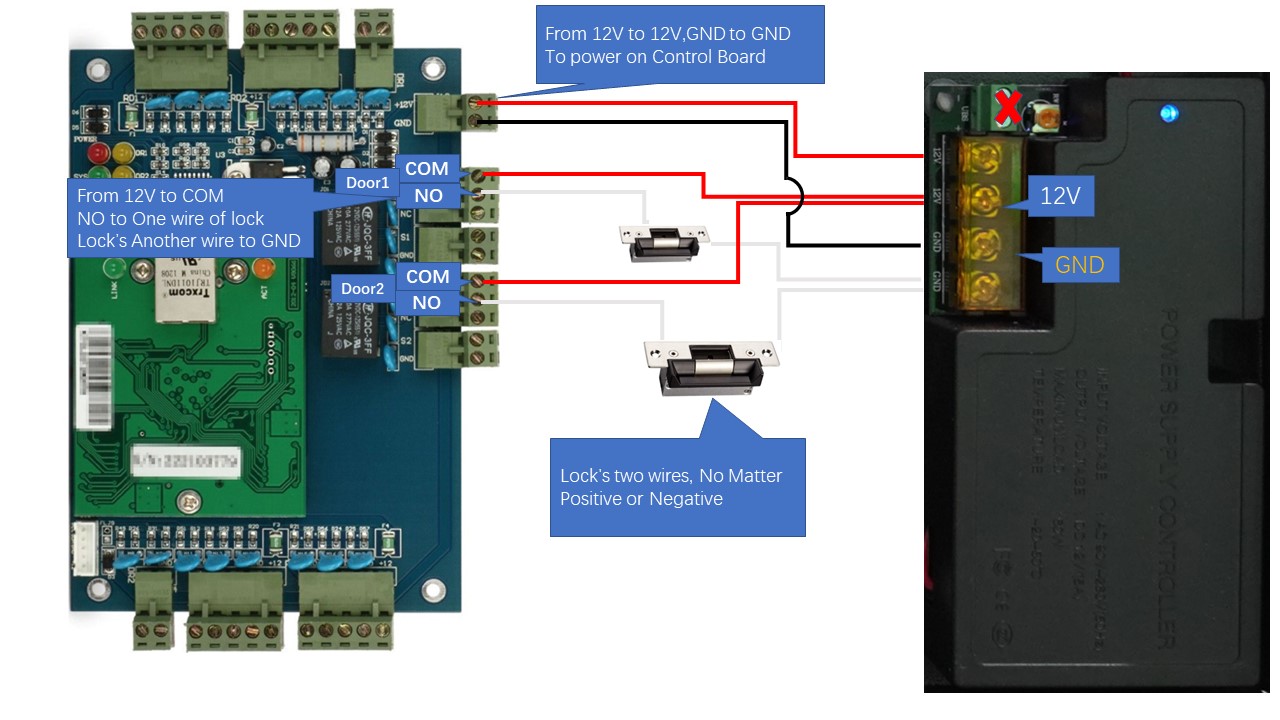
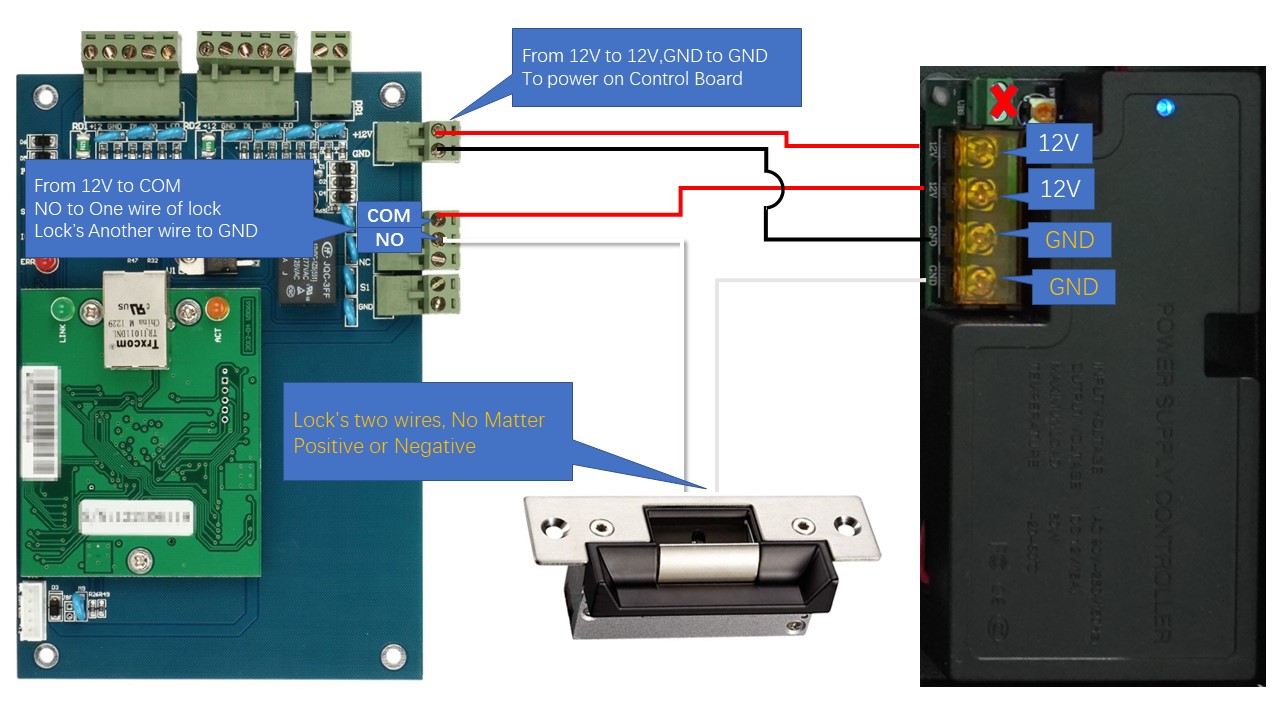
2.Hardware Connection:
Suggestion: I'd suggest setting up the device on a table and make sure basic functions before installation, Begin and focus on one door firstly.
If you have Motion Sensor, Wire Picture from HERE and check some tips(adjust sensitivity and angle/detection area)from HERE.
3.Software Programming:
3.1 Software download from below link(Be sure that Software support: win7/win8/win10 both 32 and 64 bit system, run the related setup file to install. )
Firstly extract it to a new folder, How to Install software: run related setup file based on your computer Operating System. (setupWin10.exe for Windows10;;; setupWin7.exe for windows7)
We bring value to a lot projects during the past 20 years, also save a lot cost for many customers.If any problem, please don't return directly, that will bring big loss to me. I do support with my heart, Contact me for solution for your any question.
4.Backup Your System:
In case that you replace computer or computer is corrupted, It's Higly recommended to do a backup after all programming job done, guide from Here.
5.Check Wire diagram Big Picture and Manual Directly
5.1 Wire connection big picture from below link( for 1/2/4 door Control Panel):