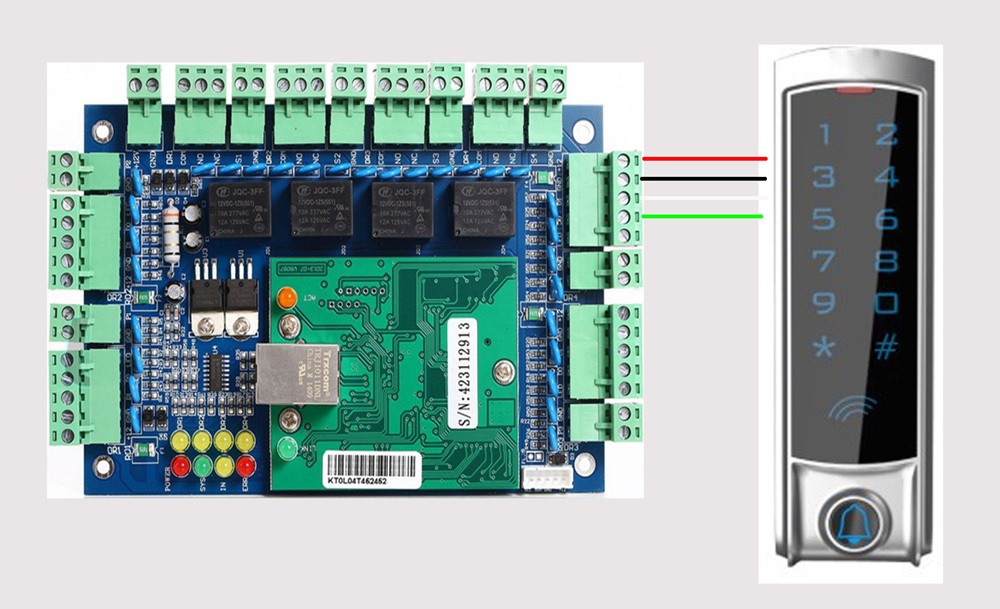
2.1. For how to wire the system, check below video(device is different, wire is the same): HERE
2.2. Enroll/Delete user Manual guide: HERE
2.3. Enroll card/Fob/Password Video guide: HERE
3.1). Check the Magnetic lock install video and FAQ from Here.
3.2). Check the Common Strike Lock Install and DEMO from HERE1
Will support you for ever, check Support method from: HERE
I will support you for ever with my nearly 20 years experience.
1. If you prefer email, I will do email support.
2. If you want phone support, I can call you( Please tell me your phone number)
3. Also can do teamviewer support to remotely connect to your computer to guide you, to provide live training and support for you.